From an account to your first report in four steps: describe a place and a sector, confirm the real place name, and read the verdict in the report.
Why JDWIN before you analyse
JDWIN (جدوِن) is a reverse feasibility system: it begins from a real location on the map, anywhere in the world, and returns sourced indicators with one verdict. Marketing and documentation are open to visitors; the analytical map opens once you have an account.
The journey: smart search, place resolved, your confirmation, then the report.
The path
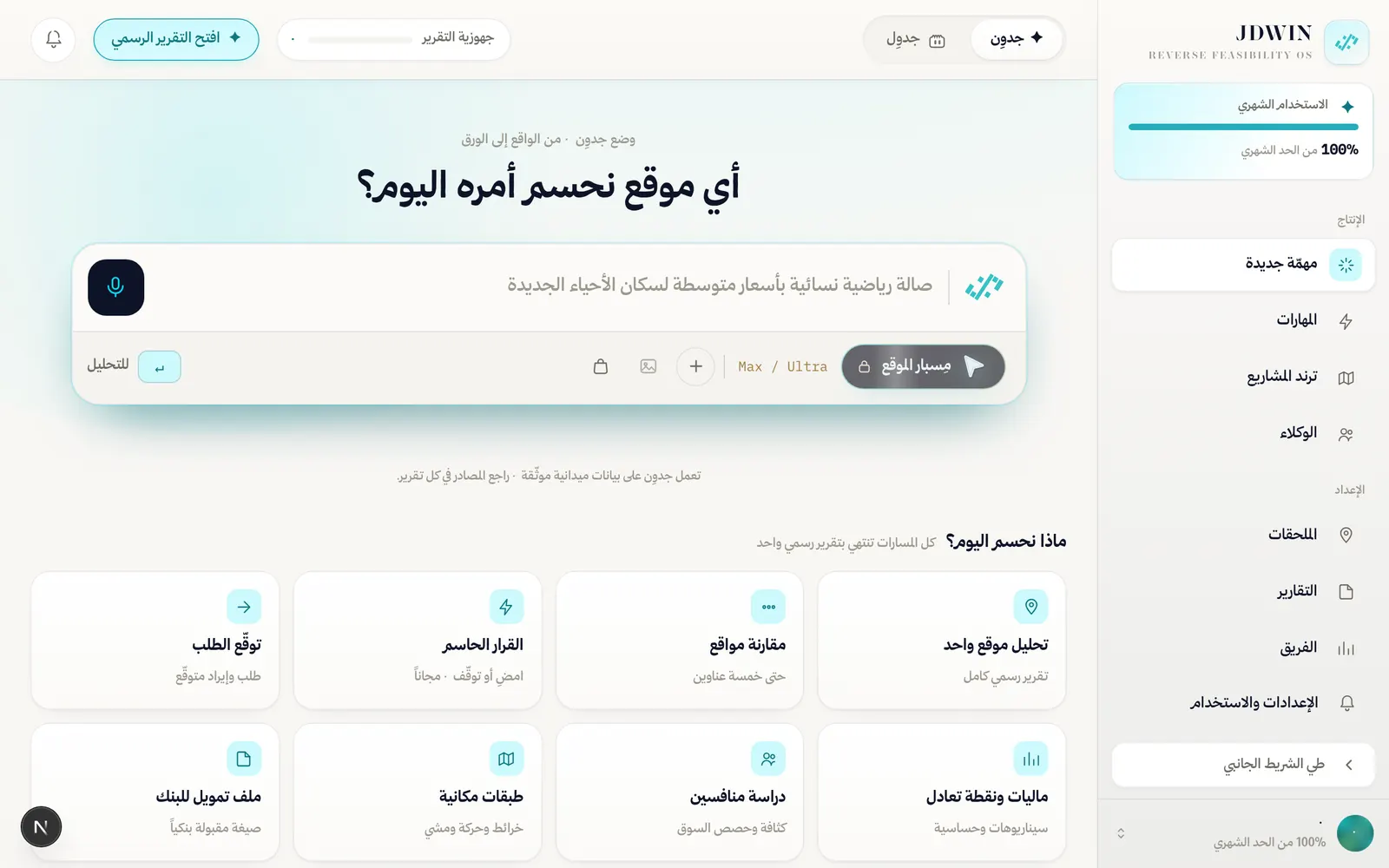
The workspace after sign-in: the task box in the middle, the eight decision paths beneath it, and the two meters in the sidebar.
Four steps, in order. They tie the verdict to a place you confirmed yourself.
1Create an accountSign up with your email, or continue with Google, TikTok, Salla, LinkedIn, Slack or X from the sign-in page.
2Describe your idea in natural languageType place and sector in the composer, or use the microphone so speech becomes text while you speak. When the field is empty the primary action is the mic; on the first typed character, or after voice, it switches to send/analyse. The row under the field carries three tools: “+” (Add) opens “Attach a file or photo” and “Find a site manually”, “Site photo” attaches a photo of the site, and “My store context” adds your connected Salla store to the request. You can also drop a file anywhere on the composer: an image, a PDF or a spreadsheet (xlsx · xls · csv), up to 5 files a request and 25 MB a file.
3Confirm the real place nameA map click or pin shows the actual place name. For location-dependent (physical) ventures you must confirm the resolved place before analysis runs, especially when names are similar or the query contains typos. Digital and online projects (an app, a SaaS platform, an online store, a course or hosting platform) are recognised straight from your wording and studied market-first, with no pin to confirm and no physical/digital mode toggle to set.
4Read results inside the reportProgress appears inside the report while the analysis runs, and the finished report opens in the same place at the depth you chose.
What to expect in the first Starter report
Starter includes the decisive JDWIN index and its verdict, with four analyses, each at Verdict or Ledger depth. The risk log and the recommendations are part of every report; Prime opens this venture’s break-even point, and, as estimates where their inputs were not measured for your site, the detailed financial model and the sensitivity analysis. Every paid package exports the report as a PDF at the depth it reads, with the JDWIN seal as a watermark; a report completed since digital signing shipped also carries a digital signature that reveals any later change, an earlier one does not; on Starter, the report is read on screen. For prices and allowances see Entitlements or the Packages page.
 Loading your page…